Start your first web app with our Django Cheat Sheet
Length
" transform="translate(1.749 1.749)" width="10.501px"/></g></svg>)
Author
Gabriel Hardy-Françon
Published
11 oct. 2022

Kickstart your app with our Django cheat sheet.
When it comes to fullstack web development in Python, there is no framework that brings more style and packs more power than Django.
Django offers a wide range of ready-to-use packages, benefits from Python’s popularity, scales like a dream and enables the creation of a self-intuitive admin panel.
💡 Read about how to build a Django admin panel with Forest and checkout our guide to Django migrations in Python.
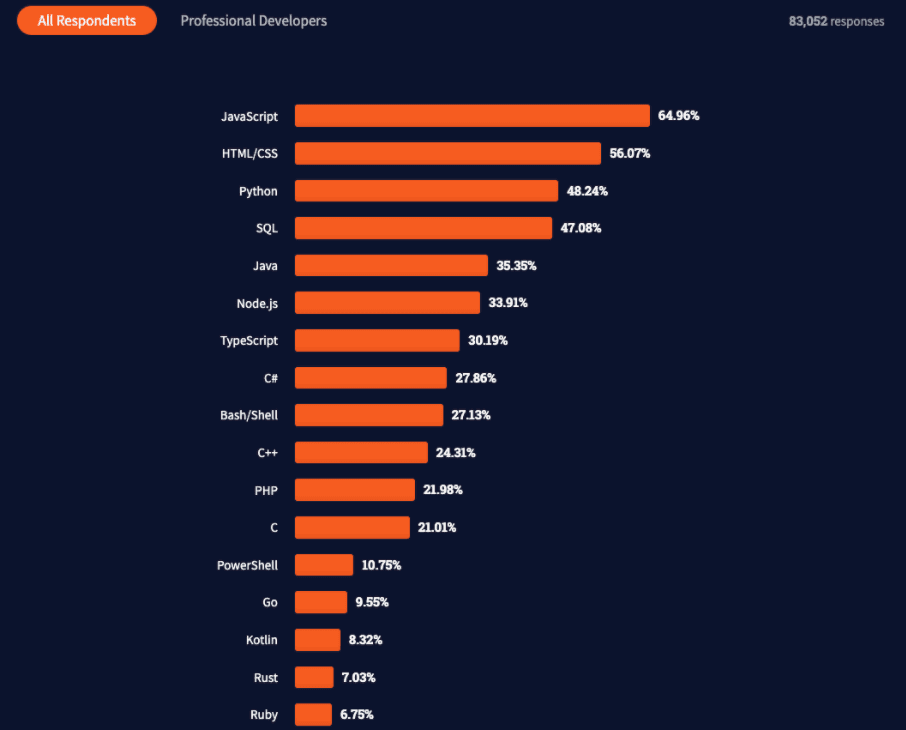
Standing as one of the most used coding languages in the world, we thought it’d be relevant to provide our Pythonistas – or simple enthusiasts – with a little Django cheat sheet.
⚠️ Virtual environment ⚠️
Before getting started, let us address the elephant in the Django room [especially for new comers]:
To “venv’, or not to “venv”?
Shortcut ⇒ venv!
First of all, isolating a project is always a good thing. Also, running Django might make your bump into several “permission denied” errors.
Using a virtual environment to install Django is often considered a safer bet since your user doesn't have access to install into shared directories.
A virtual env is an isolated environment with its own installation directories that your user has full permissions to. This allows you to install a custom version of Python if you wish to [and its different packages]. It is like Docker or Virtualbox, but Python specific.
This solves the issue with permissions and enables you to test the same thing on different versions of the dependencies without doing it on different systems.
Moving on, the Django way.
Installing and updating Django
As explained, we will make sure to isolate our project before running Django.
Creating a directory for your Django project
Once your directory is created, initiate a Python virtual environment to install Django
if you wish to deactivate it, simply hit the following
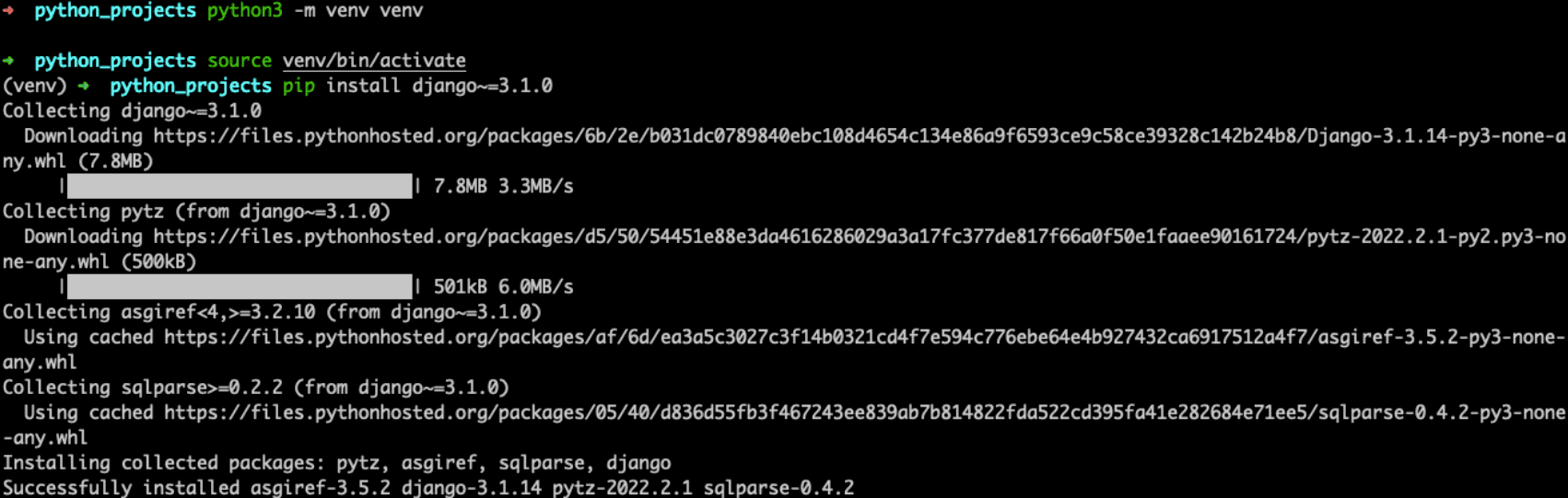
Now install Django in your venv
You can see the steps illustrated below
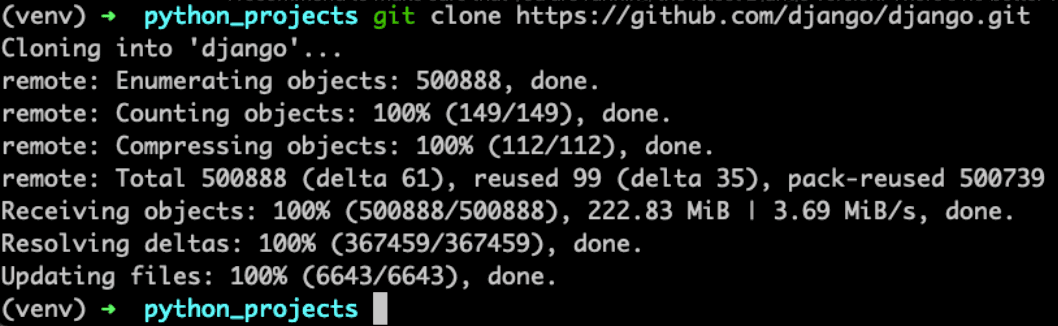
I recommend to make sure that you are running the latest Django version. There’s no better way to do so than to clone Django’s repo itself.
Requirements
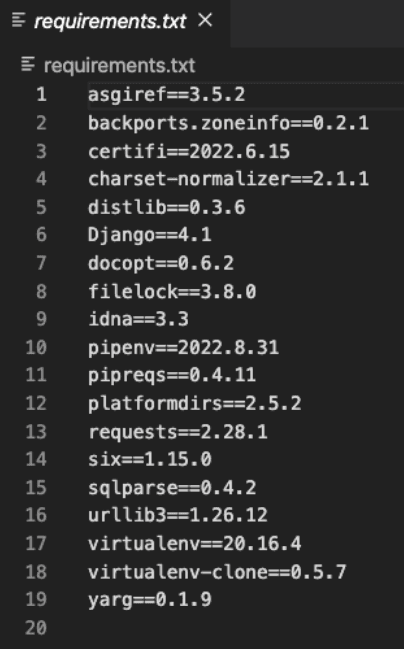
This requirement txt is paramount for all Django projects. It usually is located in the root directory of your project.
It is used for specifying what Python packages are required to run the project you are working on.
It must be looking like this ⇒
Let’s start a new project now

django-admin working its magic

We can see the Django project created
Start server to check that your Django project was initiated properly.
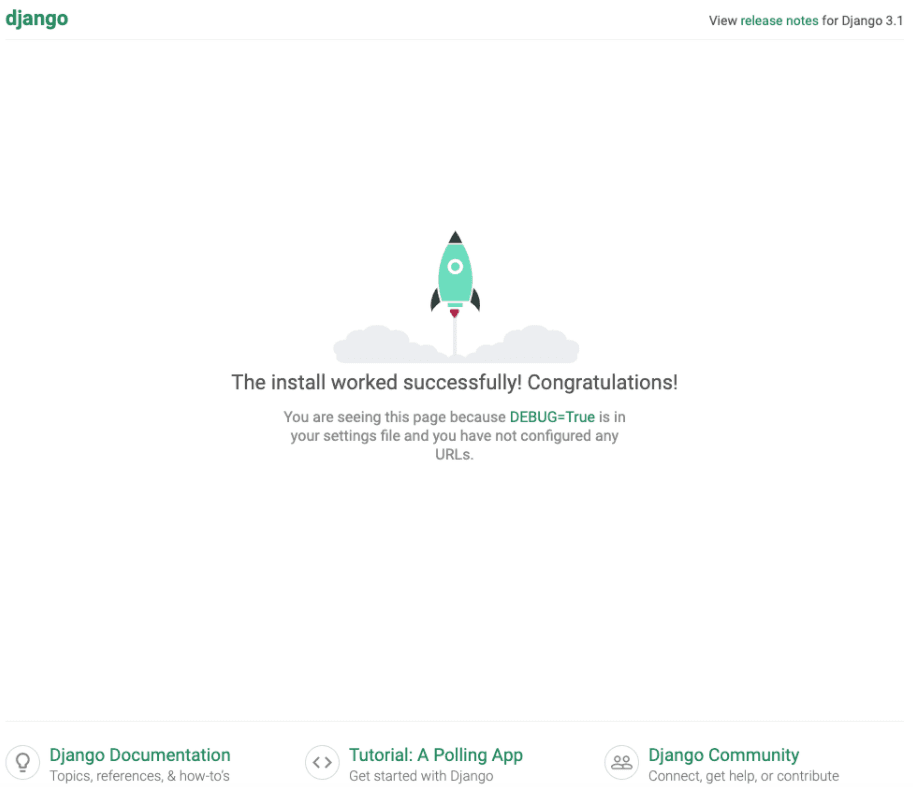
So far so good
Let’s take a look at our configuration from settings.py [toggle down please 🙂]
If you are ever interested in the structure of a django project in general, we found two articles to be relevant: here and there
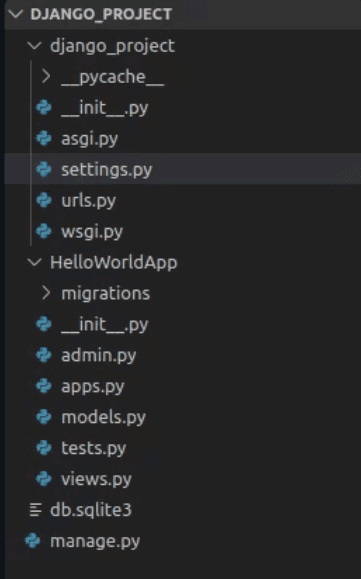
django-admin Vs manage.py
Manage.py is basically a Django command-line utility that resembles django-admin commands, but that points within a project. towards the settings.py file we mention a couple of sections ago.
Some frequent commands:
python manage.py startapp
python manage.py makemigrations
python manage.py migrate
python manage.py runserver
Create a Django app: MVC becomes MTV
Once you have created your Django project with the relevant files and settings, you may create your own Django app.
The inside will look like this
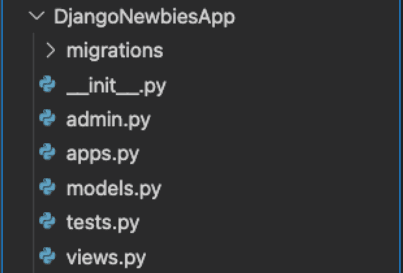
If like me, you come from a rather strict MVC (Model-View-Controller) background, then Django might throw you off a bit a first.
Unlike Ruby-on-Rails – about which we wrote a cheat sheet as well – Django does not initiate a “controller” per se when prompted tostartapp – we see a “models” file and a “views” file, but no controller.
The team behind the Django framework tends to refer to “MTV” (Model, Template, View) rather than MVC, like many other web dev community do – here is their explanation.
Migration 🦆
Migration in Django is a substantial topic, this is why we’ve decided to dedicate an entire article about it.
If that is not enough, you can check the official documentation, or this article that we found rather explanatory.
Either way, happy reading!
Moving on.
Recap
We have covered the need for a virtual environment when using Django – and even stepped into a heated debate within the community as there is no general consensus on the matter.
We have seen how to initiate a project up from setting up the base up to starting the app. We have mentioned some key elements (requirements.txt) and differences in commands (python-admin/manage.py).
The next article will cover the initiation of the Database with all relevant migration manipulations, and the basic implementation of the Django MTV (MVC) architecture.
To check our latest articles, head to theForest Admin blog.