With its MCP Client, Forest Workflows integrates with any tool, without a line of code
Length
" transform="translate(1.749 1.749)" width="10.501px"/></g></svg>)
Author
Guillaume Rigal
Published
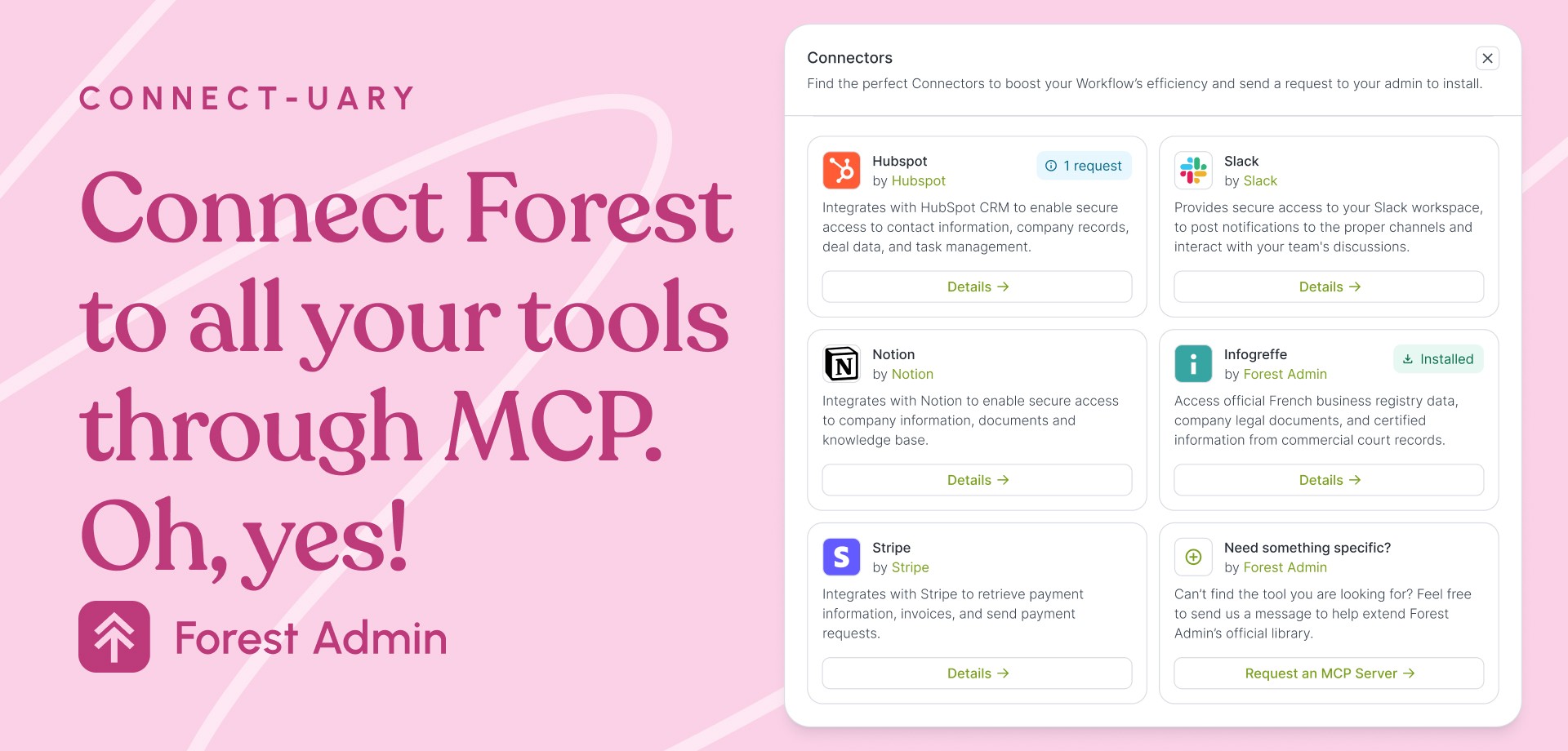
Forest Admin includes a native MCP Client step in its workflow builder. Connect any MCP Server (Slack, Zendesk, or your owns) directly from your workflow tasks, without a line of code.
Every ops team has a backlog of integrations they've been waiting on.
Most often because this requires a developer, a ticket, a timeline or even a slot in a roadmap. Meanwhile, the manual workarounds pile up.
Forest Admin is removing that bottleneck.
Last fall, we launched Forest Workflows and this includes a native MCP Client. You can add an MCP step in the workflow editor that lets you call any external MCP Server directly. Slack, document analysis tools, company registry APIs, your CRM: if it exposes an MCP Server, your workflow can now reach it. No code. No connector to build. No dev dependency.
You set it up once in the Integrations tab of your Project Settings, authentication included, and from there the connected services are available as step options across every workflow in your project.
Here's what changes in practice.
The tech dependency that blocks everything
Operational teams are full of good instincts and live on analytics. They know which tasks are repetitive. They know where data should flow automatically. They know which tool should talk to which. They basically know where time is being wasted.
What they often lack is the ability to act on that knowledge without technical help.
An ops manager at a compliance-focused fintech put it plainly: "The friction we have today is that we depend on our technical team to develop actions to automate things. So we do them manually."
This happens often. And it compounds: every manual step is a bottleneck, a potential error, a delay in a process that should run itself.
The root cause is structural. Integrating two tools has always meant some form of Tech intervention: a custom connector, a webhook, an API call wrapped in error handling and credentials management. It's not that developers don't want to help. It's that every integration is a project, and there are only so many projects you can run at once.
How MCP makes it easy to integrate tools
MCP, the Model Context Protocol, introduces a new simpler method of integration: it’s a standardized way for any AI agent (or orchestration layer) to call an external tool, regardless of what's on the other end.
When a tool publishes an MCP Server, it becomes instantly accessible to any MCP-compatible system. No custom code. No bespoke API connector. (See it in action in our documentation)
Inside Forest Admin, this means a workflow step can now invoke an external MCP Server in natural language. You describe what you need. The step executes it. The result flows into the next step.
Natural language as the integration interface. That's the shift.
Some examples of MCP in practice
Company registry lookups for KYB cases.
A workflow handling onboarding needs to verify a company's registration data.
This can be done manually but wastes time. Previously, you’d ask your tech team to build an API connector, map the fields, and maintain this when the API changes. Now: a workflow step calls a company registry MCP Server, pulls the structured data, and passes it directly into the case record. No development ticket. Done in the workflow editor.
Querying Zendesk: customer support context, automatically enriched.
A fraud investigation workflow needs to surface recent support tickets before an agent reviews the case. One MCP step calls Zendesk, retrieves the relevant tickets, and displays them in the Forest Workflow sidebar. The analyst has context automatically.
Notifying Slack: operational alerting, on the right trigger.
A workflow step reaches a decision point. Calling the Slack MCP step sends the right message to the right channel. And it’s tied to your workflow logic, respecting the permissions already defined in Forest Admin.
Running Document analysis in fraud / compliance workflows.
A case requiring document verification can route through a document intelligence MCP Server mid-workflow. The result (risk score, flag, extracted data) comes back as a structured output that the next step can act on. No manual handoff. No export-import cycle.
In each of these: no coding required. Configuration only.
How MCP client tasks work in Forest Admin
In Forest Admin, MCP connections are configured in the Integrations tab of your Project Settings and can then be accessed as MCP tasks in your workflows
You add an MCP Server, either as a hosted integration for SaaS with official MCP servers (Slack, Intercom, and others are supported, with more landing regularly) or as a self-hosted one for proprietary internal tools. OAuth authentication and API Bearer token are supported, so connecting to external services follows a standard, secure flow.
Once an MCP Server is connected, it becomes available as a step inside your workflow editor. You pick the server, describe the action in natural language, and the integration is live for every workflow in that project.
No credentials buried in code. No one-off integrations that only one developer understands. The connection is documented in the product, reusable across workflows, and visible to the team.
The MCP Library: discover, request, connect
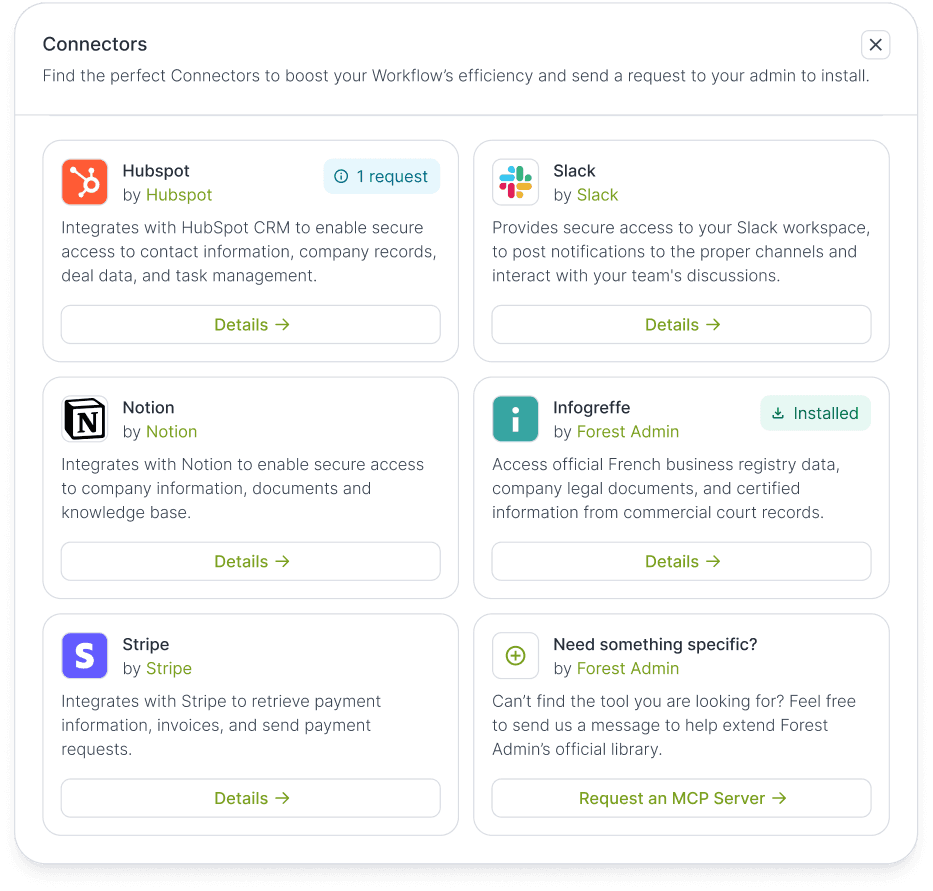
Beyond self-configuration, the Forest Admin MCP Library is the catalog of officially supported MCP Servers, built directly into the product.
Editors, not just admins, can browse available integrations, see what tools are supported, and request one. When an editor requests an MCP from the library, the project admin gets a notification. They install it in a few clicks. And the integration is live: editors can add that MCP step to their workflows.
That's a meaningful shift: the people who need the integration can now discover and request it themselves. No more "we should really connect Forest Admin to X someday" conversations going nowhere.
The library reduces friction at both ends; for admins doing the connecting, and for editors who finally have a channel to surface the integrations they actually need.
MCP in Forest Admin: the bottom line
The MCP Client doesn't just add integrations to Forest Admin. It changes who can initiate them and how fast they can be deployed.
Ops teams stop being blocked on Tech team schedules. Integrations stop being engineering projects. The operational logic - who fetches what, when, from which source - belongs in the workflow, visible and editable by the people who run it.
Tech isn’t cut out of the picture. They still configure and manage MCP Servers when needed. But they're no longer the bottleneck for every new connection.
If your team has a list of "we should automate this eventually" items, you can start right away. Some of them might just have become this week's tasks.
Need help? Our team is just a click away!
In our next article, we’ll see how Forest Admin becomes the MCP Server that your AI agents connect to, and what that means for teams running AI-native operations.